|
|
About Us
Access
Numbers
Web
E-Mail
Customer
Support
Contact
Us
|
|
Windows
XP
|
|
|
|
|
|
STEP
1:
Accessing
Dial-up
Connections
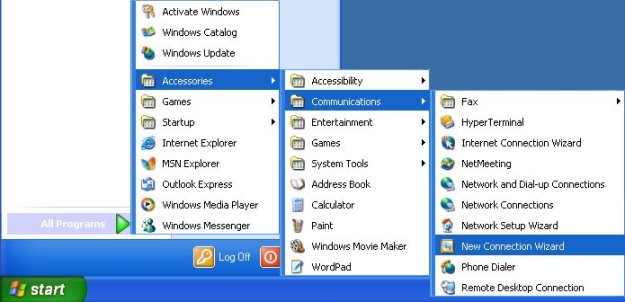
- Click
on
the
[Start]
button
- Click
on
[All
Programs]
- Click
on
[Accessories]
- Click
on
[Communications]
- Choose
[New
Connection
Wizard]
from
the
menu
If
you
have
never
specified
a
dial-up
connection
in
Windows
XP
before,
you
will
now
see
a
window
labeled
"Location
Information"
like
the
one
below.
If
you
do
not
see
this
window,
skip
to
Step
2.
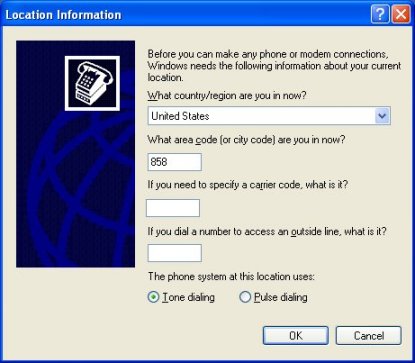
- Specify
the
values
appropriate
to
your
location
in
the
blanks
for
"country/region"
and
"area
code"
- Click
[OK]
to
continue.
- At
the
next
window,
labeled
"Phone
and
Modem
Options",
click
[OK]
to
continue.
STEP
2:
Using
the
New
Connection
Wizard
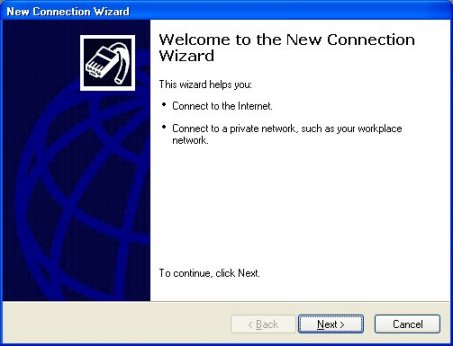
- The
New
Connection
Wizard
will
now
appear.
- Choose
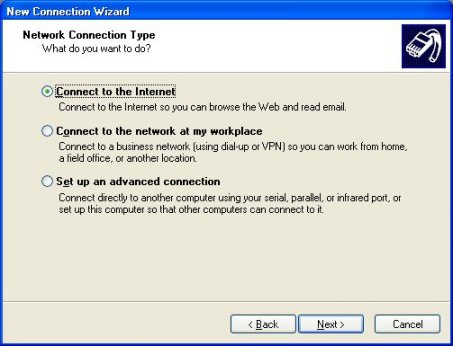
"Connect
to
the
Internet",
then
click
"Next".
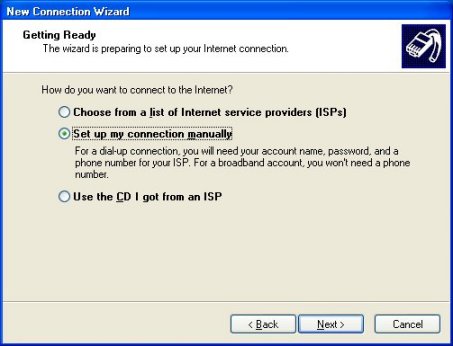
- Choose
"Set
up
my
connection
manually",
then
click
"Next".
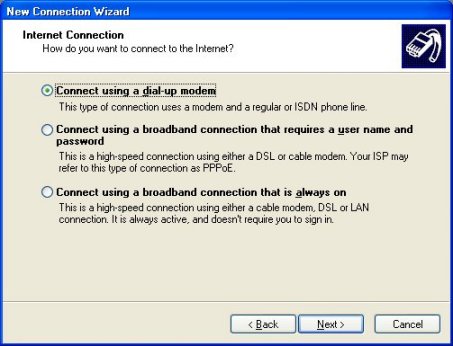
- Choose
"Connect
using
a
dial
up
modem",
then
click
"Next".
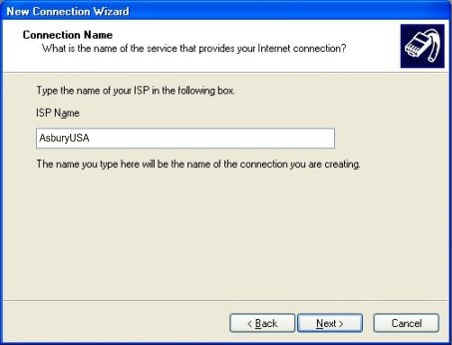
AsburyUSA"
for
the
connection
name,
then
click
"Next".
Remember
to
verify
with
your
local
phone
Operator
that
the
number
you'll
be
calling
is
local,
not
toll.
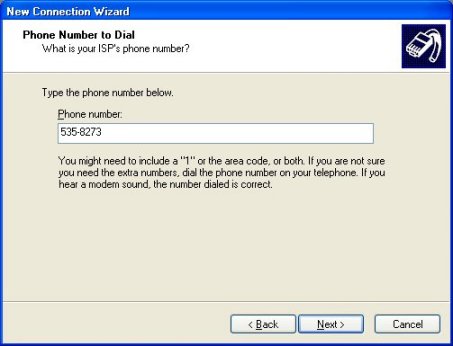
- Enter
the
phone
number
you've
chosen
to
connect
with,
then
click
"Next".
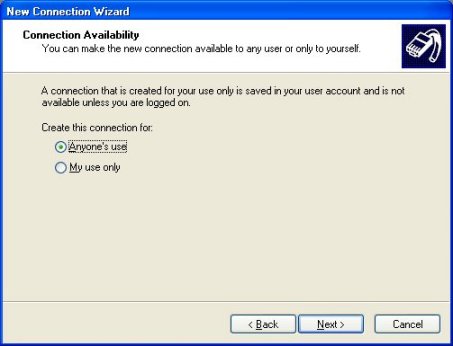
- Select
the
appropriate
use
for
this
connection,
then
click
"Next".
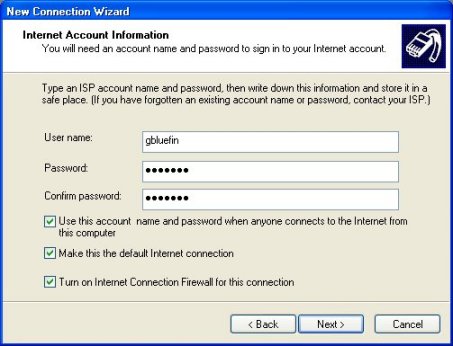
atc?????@?????.)
Click
once
in
the
Password
field
and
type
your
password.
Click
in
the
Confirm
password
field
and
type
it
again.
If
the
computer
you
are
setting
up
is
used
by
people
other
than
yourself
who
should
not
have
access
to
your
account,
remove
the
check
from
the
box
labeled
"Use
this
account..."
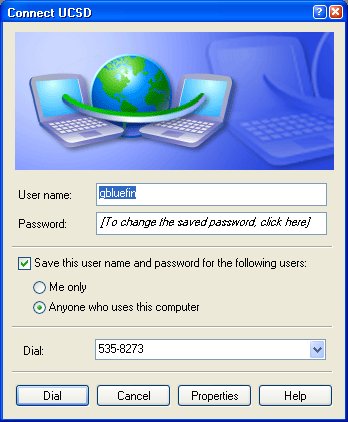
Click
[Next]
to
continue,
then
click
on
[Finish].
|
|

|
|
|
|
 |
P.O.
Box 915 Pismo Beach CA 93448
Toll
Free Phone: 877-351-8407
E-Mail:
AsburyUSA.net |

|
|


